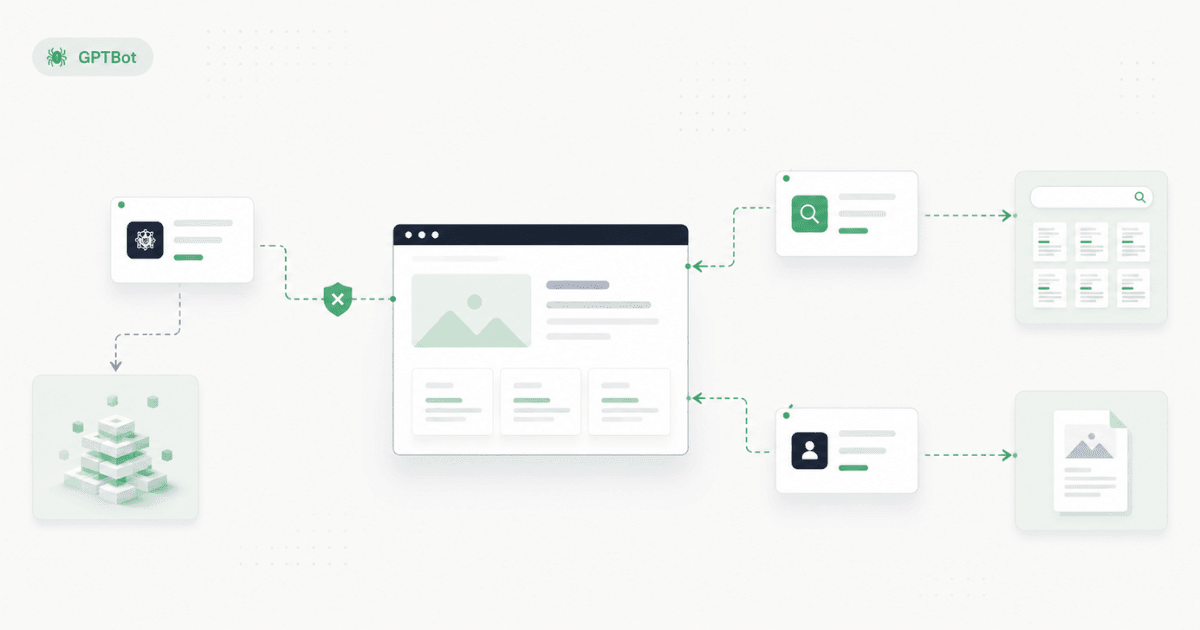
GPTBot is OpenAI's training crawler. It is not the OpenAI crawler responsible for ChatGPT search visibility. Most businesses can block GPTBot and still appear in ChatGPT answers — as long as OAI-SearchBot remains accessible.
You probably landed here because you saw GPTBot in your robots.txt file or a security alert mentioned an OpenAI crawler. The short answer: blocking GPTBot opts you out of AI model training. It does not, by itself, remove you from ChatGPT recommendations. Block the wrong ChatGPT bot, though, and buyers may hear your competitor's name while your Google rankings stay fine.
How OpenAI's three crawlers reach your site
OpenAI does not send one generic ChatGPT bot. It sends three automated visitors — each with a different job and its own robots.txt rules:
If you only remember one thing: GPTBot is the training crawler. OAI-SearchBot is the ChatGPT search crawler. They are independent.
What GPTBot actually does
GPTBot is the automated reader OpenAI uses to collect public web pages that may help train future AI models. It visits your site on a schedule, reads your pages, and feeds that content into OpenAI's training pipeline.
OpenAI's official crawler documentation puts it simply: disallowing GPTBot tells OpenAI your content should not be used in training generative AI foundation models. It's an opt-out signal — not a security lock, but a request that reputable AI companies generally honor.
GPTBot does not power the live answers buyers see when they ask ChatGPT to recommend a vendor. Many owners block GPTBot thinking they've turned off ChatGPT — and then wonder why competitors still appear in AI answers.
A common pattern: a B2B services firm adds a GPTBot block after reading a protect your content from AI article. Google rankings don't budge. But their Cloudflare security layer also rejects OAI-SearchBot — the ChatGPT crawler that builds the search index. Nothing looks broken in SEO tools. AI simply can't read the site. The owner blocked training; they accidentally blocked the channel buyers actually use.
GPTBot vs OAI-SearchBot vs ChatGPT-User
This is the comparison most people searching GPTBot vs OAI-SearchBot are really after. OpenAI runs multiple crawlers — and each can be controlled independently in robots.txt.
Three details worth remembering:
- Blocking GPTBot alone does not remove you from ChatGPT search. OAI-SearchBot is the ChatGPT search crawler. Many growth-focused businesses block GPTBot but keep OAI-SearchBot allowed.
- ChatGPT-User is user-initiated, not a scheduled crawl. OpenAI notes that because these visits start from a user action, robots.txt rules may not apply. If you need hard enforcement, you need server-side controls — not just a robots.txt line.
- If you allow both GPTBot and OAI-SearchBot, OpenAI may use one crawl for both purposes to avoid visiting your site twice. Your robots.txt choices still apply independently.
GPTBot robots.txt examples: block training, allow search
People searching block GPTBot or GPTBot robots.txt usually want to see what the file should look like. Here are the two most common patterns — short illustrative snippets, not a copy-paste template. Ask your developer or CMS to apply the version that matches your strategy.
Block GPTBot only (opt out of training):
User-agent: GPTBot
Disallow: /
Allow ChatGPT search (keep OAI-SearchBot accessible):
User-agent: OAI-SearchBot
Allow: /
Combined: block training, allow search — the setup most B2B and services firms want:
User-agent: GPTBot
Disallow: /

User-agent: OAI-SearchBot
Allow: /
A few practical notes:
- Give each OpenAI crawler its own section — one User-agent block per bot, not one wildcard rule that blocks everything.
- Never put Disallow: / under User-agent: * unless you genuinely want to block every bot, including Google's.
- robots.txt is a signal, not a security wall. If you need hard blocking, your security layer or hosting panel must enforce it too.
Want the corrected file generated for your domain — not just the pattern? That's what GEO Fix ships after a scan: the actual robots.txt plus CMS install steps for WordPress, Shopify, Wix, and Webflow.
Should your business block GPTBot?
There's no universal answer. It depends on what you're protecting and what you're trying to grow.
Another common pattern: a Shopify store owner blocks GPTBot in robots.txt after a protect your content blog post. Fine so far. But they also paste a generic block all AI bots snippet from 2023 that disallows OAI-SearchBot under a wildcard rule. Google rankings stay the same. ChatGPT stops recommending the store entirely. The fix is swapping the wildcard for targeted GPTBot-only blocks — not removing all OpenAI crawler access.
For most marketing-led businesses, the practical default: block GPTBot if you want to opt out of training, but verify OAI-SearchBot is still allowed. That's the combination that protects content without disappearing from the channel where buyers ask AI for vendor shortlists.
The mistake that hides you from ChatGPT
The biggest error isn't blocking GPTBot. It's blocking without knowing what else got blocked at the same time.
Three places GPTBot rules hide — or get overridden:
- Wildcard rules. A Disallow: / under User-agent: * blocks every bot, including OAI-SearchBot. You meant to stop training. You stopped search too.
- Security layers. Cloudflare and similar services can reject bots before they ever read your robots.txt — or inject managed AI blocks your CMS never shows you. Your file says GPTBot is allowed; your security layer says otherwise.
- Copy-paste templates. Generic block all AI bots snippets don't account for OpenAI's split between training and search crawlers. The template looks correct. The strategy is wrong.
This is the same green SEO report, invisible to AI gap we cover in our guide to AI bots blocked in robots.txt — but GPTBot is often the first OpenAI crawler name owners recognize in the file. Seeing GPTBot blocked doesn't tell you whether OAI-SearchBot is blocked too. You need to check both.
How to check if GPTBot is blocked on your site
Open yoursite.com/robots.txt in a browser. Look for a section that names GPTBot and includes a disallow rule. That tells you what the file says about training opt-out.
It does not tell you:
- Whether OAI-SearchBot is also blocked
- Whether your security layer overrides the file
- Whether your llms.txt or page labels help AI understand your business once access is open
Checking the file by hand is a start. A full AI visibility checker tests whether AI systems can actually reach your pages — the question that matters when competitors show up in ChatGPT and you don't. Most tools stop at a score; GEO Fix generates the corrected robots.txt and CMS install steps when something is wrong.
If your site ranks on Google but AI skips you, the broader chat gpt seo google split — different crawlers, different rules — is usually where the gap starts.