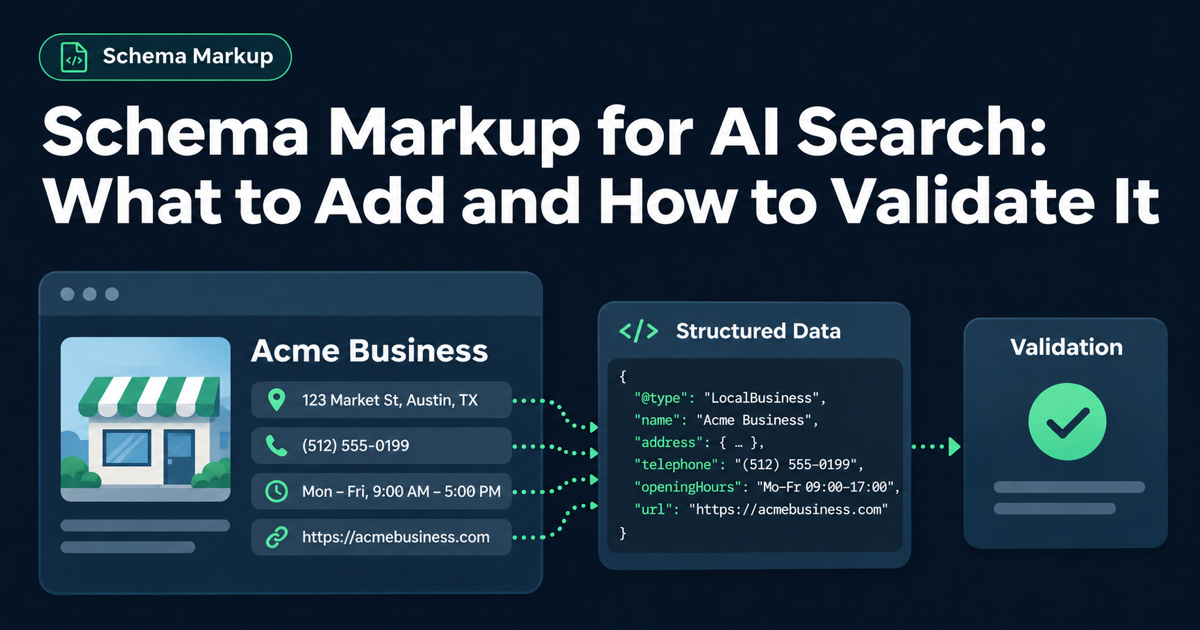
Your developer says the schema is installed. How do you know it describes your business correctly? Schema markup for AI search deserves a closer check than a green badge in a testing tool.
Start with the limit: Google’s AI guidance says AI Overviews and AI Mode need no special schema. Useful markup labels facts already on your pages. The practical job is to choose the right labels, verify the facts, and make sure the live site still serves them after changes.
Schema.org is a shared vocabulary for describing things such as businesses, articles, and products. Structured data puts those descriptions into a form software can read. JSON-LD, Google’s recommended format, is a separate block of data in a page’s underlying HTML.
Think of it as a labeled record. A business name, an author, and a product’s availability each have a defined place. The record should agree with what a visitor can read.
Begin with a small inventory of your important page templates. A homepage, an article, and a product page serve different purposes. Installing the same block everywhere can describe them badly, even when the block contains no syntax errors.
Page
Markup to consider
What to confirm
Business homepage
Organization, or an appropriate LocalBusiness type
Actual business identity, URL, logo, and relevant contact details
Editorial article
Article or BlogPosting
Real author, headline, images, and publication or update dates
Individual product page
Product and relevant Offer information
The exact product and current offer shown on that page
Software application page
SoftwareApplication where appropriate
Actual app details and the requirements for the intended search feature
These are starting points, not a requirement to add every type. Use Google’s feature documentation to check what applies. Schema.org supports a broader vocabulary than Google’s enhanced search displays, often called rich results.
For example, imagine a US software company adding markup to a pricing page. It should first decide what the page actually describes. A list of subscription plans does not automatically qualify for a software-app rich result. Adding invented ratings to satisfy a test would make the information misleading.
Our schema overview explains the main types. This guide focuses on the next decision: what evidence should you ask for before accepting the work?
Use each validation tool for the question it answers
A successful test is useful evidence. Its meaning depends on what the test checked.
Check
What it helps establish
What it cannot establish
Schema Markup Validator
Whether it can extract and interpret the Schema.org data, and which issues it detects
Whether every business fact is true
Google Rich Results Test
Whether supported Google search features are detected and meet tested requirements
Whether Google will display them or cite the page in an AI answer
Search Console URL Inspection
How Google sees the deployed page and its indexing status
If the Google test reports no supported items, inspect the type before treating that as a failure. Valid Schema.org data can exist without qualifying for a Google rich result.
The reverse matters too. A block can pass automated checks while describing an old address or the wrong business. Google’s quality policies require accurate, relevant, current information, and note that these quality guidelines are not easily testable with automated tools.
Consider a hypothetical Seattle consulting firm that changes its trading name. The homepage shows the new name, but its SEO plugin still outputs the old one. Both names are ordinary text, so a parser may accept the block. A person comparing the page and the data should flag the mismatch before approving it.
Are schema gaps part of a wider access problem?
The free Express Check flags AI-readiness issues across crawler access, page readability, and structured data.
Ask your developer or agency to return a short record of the checks below. Keep the page URL, test date, findings, and any remaining actions together. That makes the result easier to review when someone later changes the site.
Confirm the facts and the source
Choose the type that describes the page’s main content.
Compare business names, URLs, authors, dates, and offer details with the visible page.
Identify what creates the markup: the theme, a plugin, an app, or custom code.
Check for conflicting versions of the same entity.
Multiple structured-data items can be appropriate. An article can identify its author and publisher. The concern is disagreement: for example, a theme and a plugin publishing different details for the same business.
Test before and after deployment
Check the proposed markup in the Schema Markup Validator.
Check supported Google features in the Rich Results Test and resolve critical issues.
Deploy to representative pages from the affected templates.
Test the live URLs rather than relying only on a pasted code sample.
Use the live test in Search Console URL Inspection to review Google’s access and rendered page.
A preview can pass while the production page fails. The published theme may omit the block, a plugin may add a conflicting version, or access controls may stop a crawler from reaching the page.
For a hypothetical Shopify store, imagine that a product sells out. Its visible page says unavailable, but a custom block still describes the old offer. Testing the original code sample would miss the change. Reviewing the live product page and its current data exposes it.
Access deserves its own check. Schema cannot resolve a login wall or a crawler block. Our guide to AI crawlers your SEO platform may miss explains why a Google test does not settle access for other platforms.
Set a recheck trigger
Name the person responsible for checking again after a theme update, plugin change, redesign, or major content edit. Business identity changes and product-offer changes should trigger a review too.
Save a brief acceptance note: what was tested, which live pages were checked, what was corrected, and what remains unresolved. Avoid a blanket “schema passed” statement that hides those details.
Keep schema work separate from citation promises
Structured data can provide explicit information about a page. That does not establish that adding a particular type will earn a ChatGPT citation or a Perplexity recommendation. Google’s documentation describes Google’s systems; it should not be used as proof of another platform’s requirements.
Be especially careful with older FAQ advice. Google’s documentation update log records that FAQ rich results stopped appearing on May 7, 2026. FAQPage remains a Schema.org type, but adding it will not restore that retired Google feature. Keep useful questions and answers for readers without attaching an unsupported visibility promise.
This is one part of the broader relationship between GEO and SEO: clear content, access, and reliable business facts still need attention alongside markup.
For teams that need implementation help, GEO Fix checks technical readiness and provides files and CMS instructions; it does not guarantee placement in AI answers. The free report can help prioritize issues, while the validators and factual review above remain necessary for accepting a schema implementation.
FAQ
No. Google says there is no special structured-data requirement for AI Overviews or AI Mode. A page must meet the relevant Search requirements, including being indexed and eligible to appear with a snippet. Markup does not override those conditions.
It means the tested supported features passed the checks reported by that tool. You still need to compare the information with the page, review relevant quality rules, and test the deployed URL. A valid result does not guarantee a search display.
There is no documented citation guarantee from adding FAQPage. Google has retired its FAQ rich result feature. Publish helpful answers because they resolve real reader questions, and judge any markup by its accuracy and purpose.
The free Express Check flags readiness issues, including structured-data gaps. It does not certify every field or guarantee AI visibility. Use a Schema.org validator, the relevant Google tests, and a manual factual review for detailed acceptance.
Choose schema markup for AI search by page purpose and visible facts.
Review the live implementation with the appropriate tools and a factual comparison.
Assign an owner to recheck after changes that can alter the data.
Free · 2 minutes · no card
Check the foundations of your AI search readiness
The free Express Check sends an HTML report with readiness issues and priorities by email. When monitoring launches, paid plans are intended to add ongoing checks and follow-up verification.